Behavior Loop · 03 / 05 · service design · ux research · Web
Clinical Service Blueprint
Every lane on one page — member, automation, messages, clinical team, hardware — which took sign-up to treatment from 28 days to 11.
- Touchpoints
- 4 operational tiers
- Swimlanes
- Tripartite triad
- Onboarding Visits
- 3 milestone phases
- Devices
- 5 per member
Overview
This is the service blueprint for getting a Twin Health member from sign-up to treatment. It spans everyone and everything involved — the member, the app's automation, the texts and emails sent outside it, the clinical operations portal (USCAP), partner labs, hardware logistics, and the people: nurses, medical enrollment advisors, coaches and doctors.
The problem: Handoffs fell through the gaps. A member could download the app, order a sensor kit and then wait weeks for a blood test with nobody telling them what came next. Lab appointments were missed, members dropped out before starting, and coordinators burned out chasing people by phone.
What we built: One blueprint for the whole path, with every step owned. Seven milestones, five lanes, and for each cell a clear owner and a trigger for the next — so the member books, the app reminds, a nurse reviews, and nothing waits for someone to notice. The commonest failures each got a fail-safe instead of a dead end.
Who it's for:
- Primarily: members getting through medical onboarding and at-home testing.
- Also: clinical operations, registered nurses (RNs), medical enrollment advisors (MEAs), health coaches and partner labs.
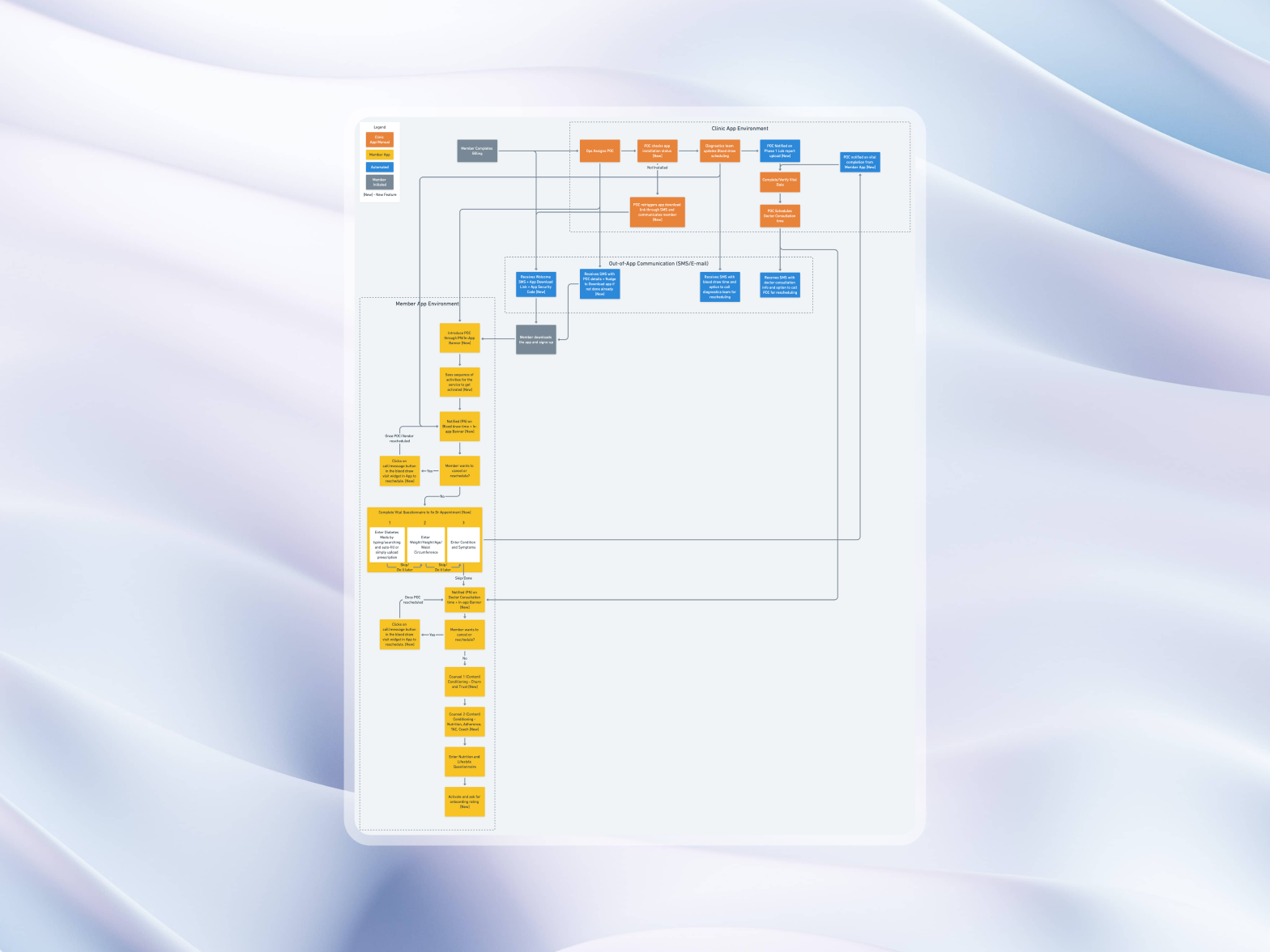
| Lane | |||||||
|---|---|---|---|---|---|---|---|
| Member | Account, medicines (photos), doctor's details | Health questions | Books a draw: at home or a lab | Meets their coach on video | Puts the sensor on, with help | Sees their Twin for the first time | |
| App, automated | Profile created | L1/L2 inclusion scan | Booking via Acuity | Carrier webhook → unboxing guide | Data streaming | ||
| SMS & email | Welcome email | SMS: fast for 12 hours | SMS: it's arrived | ||||
| Twin team | MEA call if insurance needs it | RN reviews HbA1c, insulin, panel | Coach: baseline, goals, address | Sensor Specialist on video | Doctor sets targets, starts reducing medicines | ||
| Hardware | Sensor, scale, cuff, ketone meter, band | Pairing, barefoot scale check |
Who acts, and where work changes hands
The blueprint above is live. Step through a member's path and watch each lane light up; switch on an exception to see the fail-safe it takes. The days an exception adds are illustrative.
What made it hard:
- Strict inclusion criteria. Members must meet clear thresholds for reversal — and be safely excluded with acute kidney failure, active chemotherapy, cirrhosis or steroid dependence.
- Labs before anything. Treatment can't start until blood is drawn (HbA1c, fasting insulin, a metabolic panel), uploaded and reviewed by a licensed nurse.
- Five devices at home. A glucose sensor, smart scale, blood pressure cuff, ketone meter and activity tracker, delivered and working without an army of support staff.
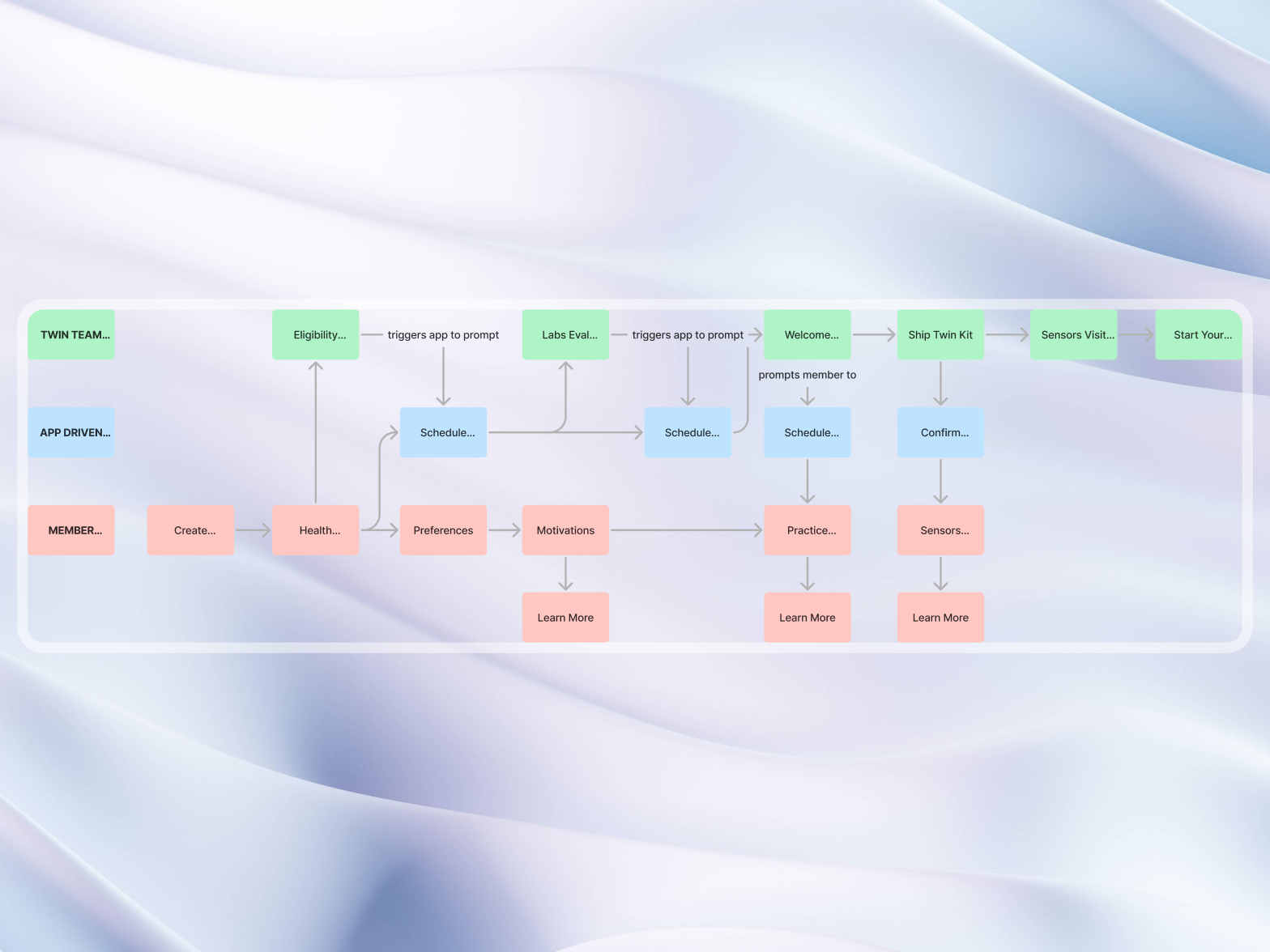
The lanes
The member
- Creates an account, adds their doctor and photographs their current medicines.
- Tells us about food, cooking, work and goals.
- Books a blood draw — at home or at a nearby lab — confirms the care box has arrived, and attends the video visits.
The app, automatically
- Eligibility: scans the inclusion criteria and flags borderline cases for a person to check.
- Scheduling: books through Acuity, confirms by SMS, and sends preparation — "fast for 12 hours before your draw".
- Delivery: watches the carrier and starts the unboxing guide the moment the box arrives.
The Twin team
- Nurses review lab results and vitals in USCAP and clear members as safe to start.
- Medical enrollment advisors call to sort out insurance and scheduling problems.
- Coaches and Sensor Specialists run the video visits for setup and nutrition.
Three visits
- Care Team Onboarding Visit (CTOV). After labs and nurse sign-off: the member meets their coach, goes through their baseline, confirms the delivery address and sets goals.
- Sensor Activation Visit (SAV). When the box arrives: a Sensor Specialist walks them through putting the sensor on, the scale and a first blood pressure reading.
- Treatment Activation Visit (TAV). With data flowing: the doctor or lead coach shows the member their Twin, sets nutrition targets and starts the plan to reduce medicines safely.
When hardware goes wrong
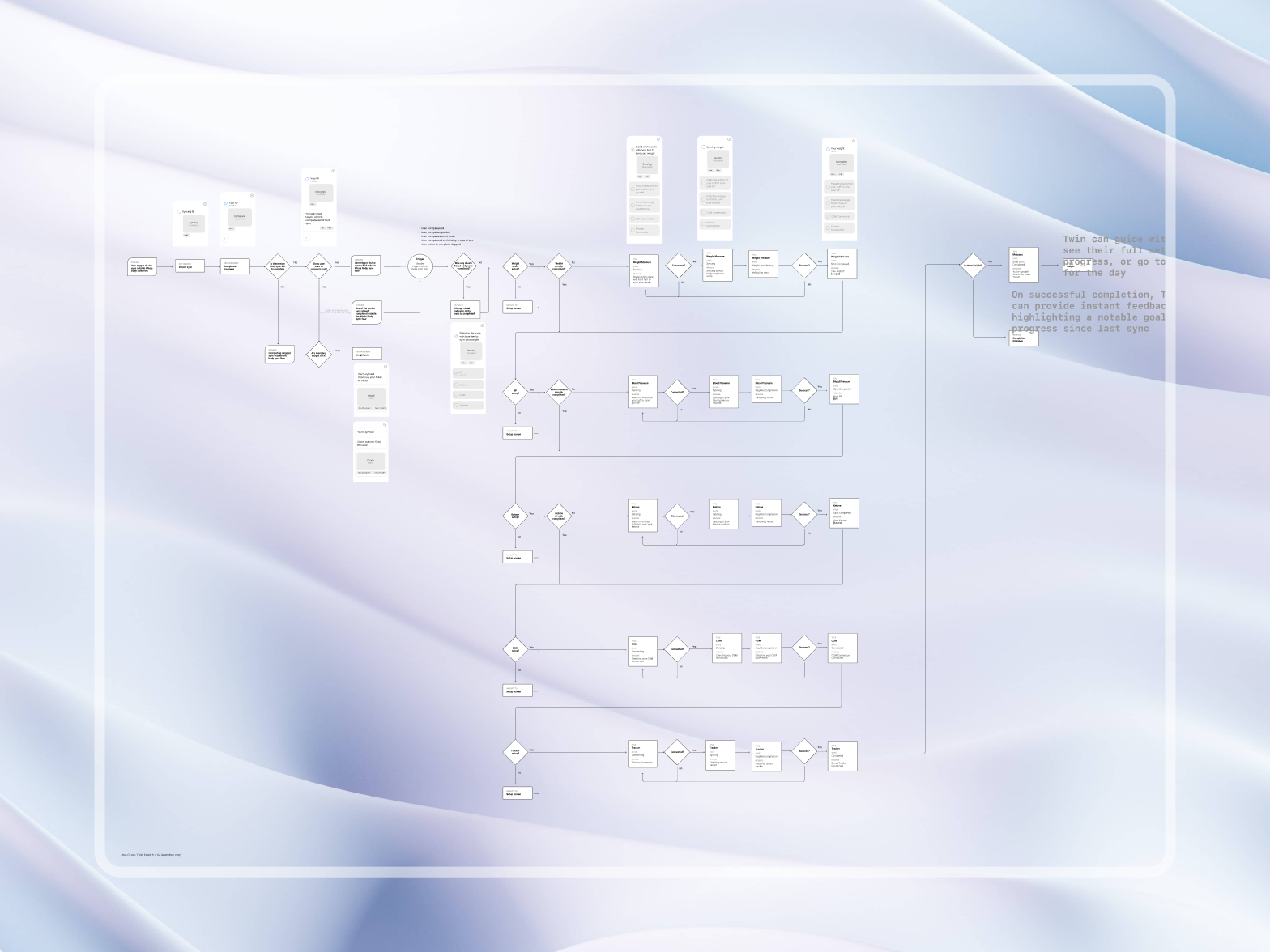
Setting up devices at home is the biggest single source of friction in remote monitoring, so pairing has its own decision tree:
- Barefoot check: the scale needs bare skin to measure body fat and water; socks are detected, and the member is shown what to do before a bad reading is saved.
- Retries, not error codes: Bluetooth retries in the background, with plain fallback steps — turn Bluetooth off and on, restart the meter.
- Sanity checks: a reading outside biological limits asks for confirmation before it reaches the medical record.
Results
- Time to treatment: sign-up to TAV fell from 28 days to 11.
- Labs: draws completed on time rose from 54% to 76%, with SMS reminders and at-home draws.
- Coordinators: manual follow-up calls per member fell by about 40%, freeing them for larger panels.
- Devices: about 80% of members had every device working by the end of the first week without a support call.
Conclusion
The app was never the slow part. The time went in the gaps between people and systems — and drawing every lane on one page, with an owner and a trigger in each cell and a fail-safe for the commonest misses, is what closed them.
Gallery
01 / 03From the gallery